

OffiGo Guide Highlights Five Adjustable Desk Setups for Remote Work, Led by Cabinet Storage
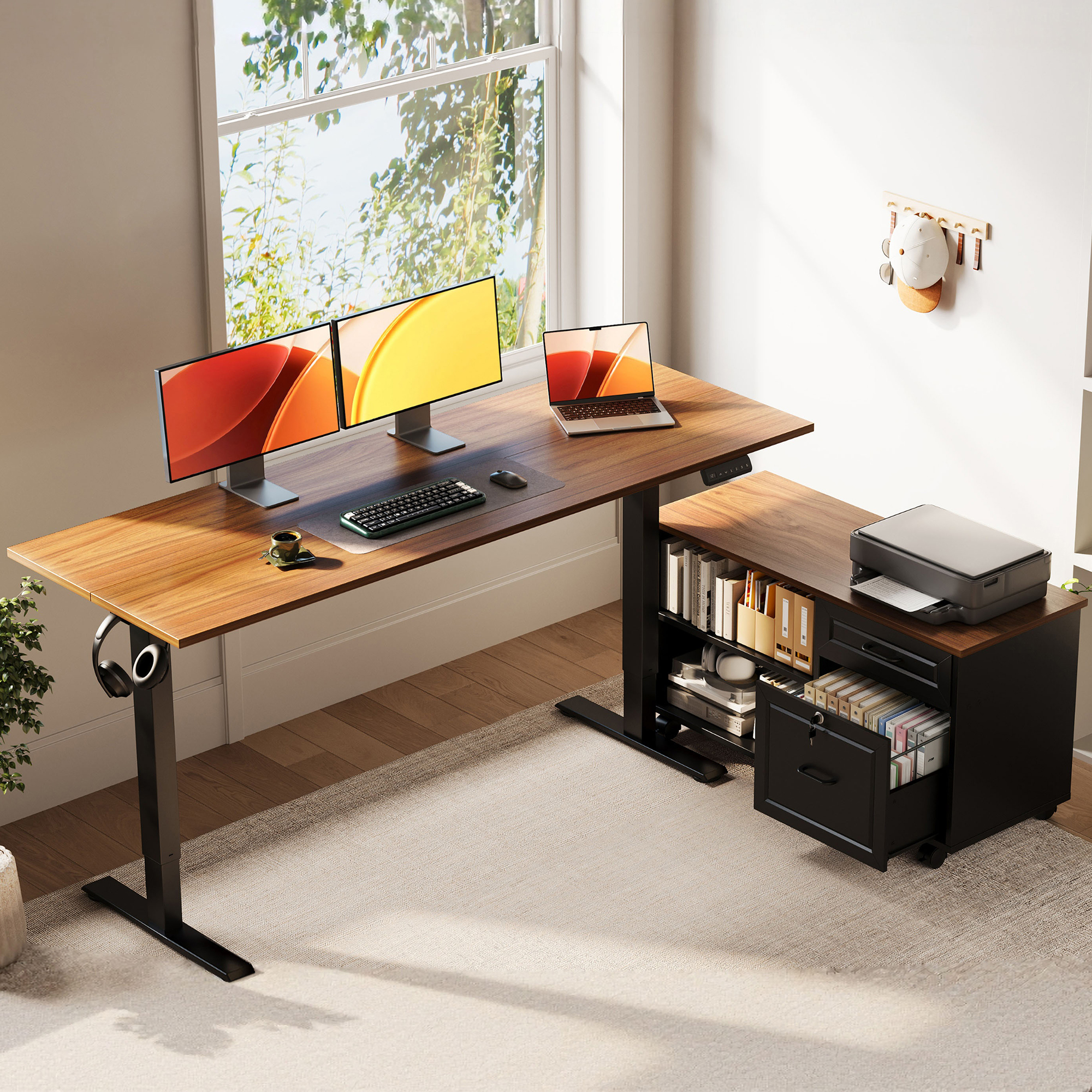
OffiGo 55 inch L-Shaped Height Adjustable Standing Desk with Large Movable Storage Cabinet for Office Workstations
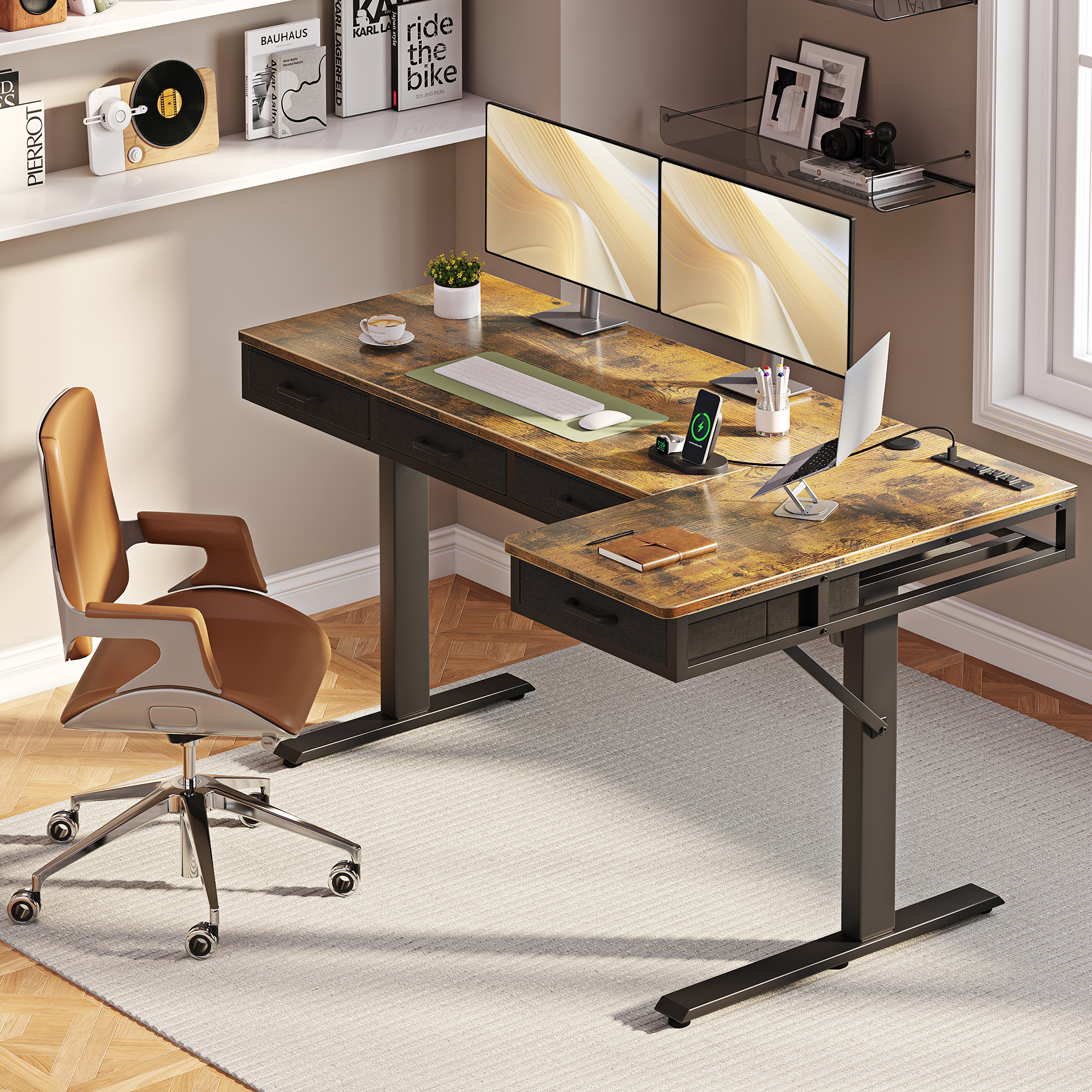
OffiGo 63 inch L-Shaped Electric Standing Desk with Fabric Drawers and Built-in Power Outlets
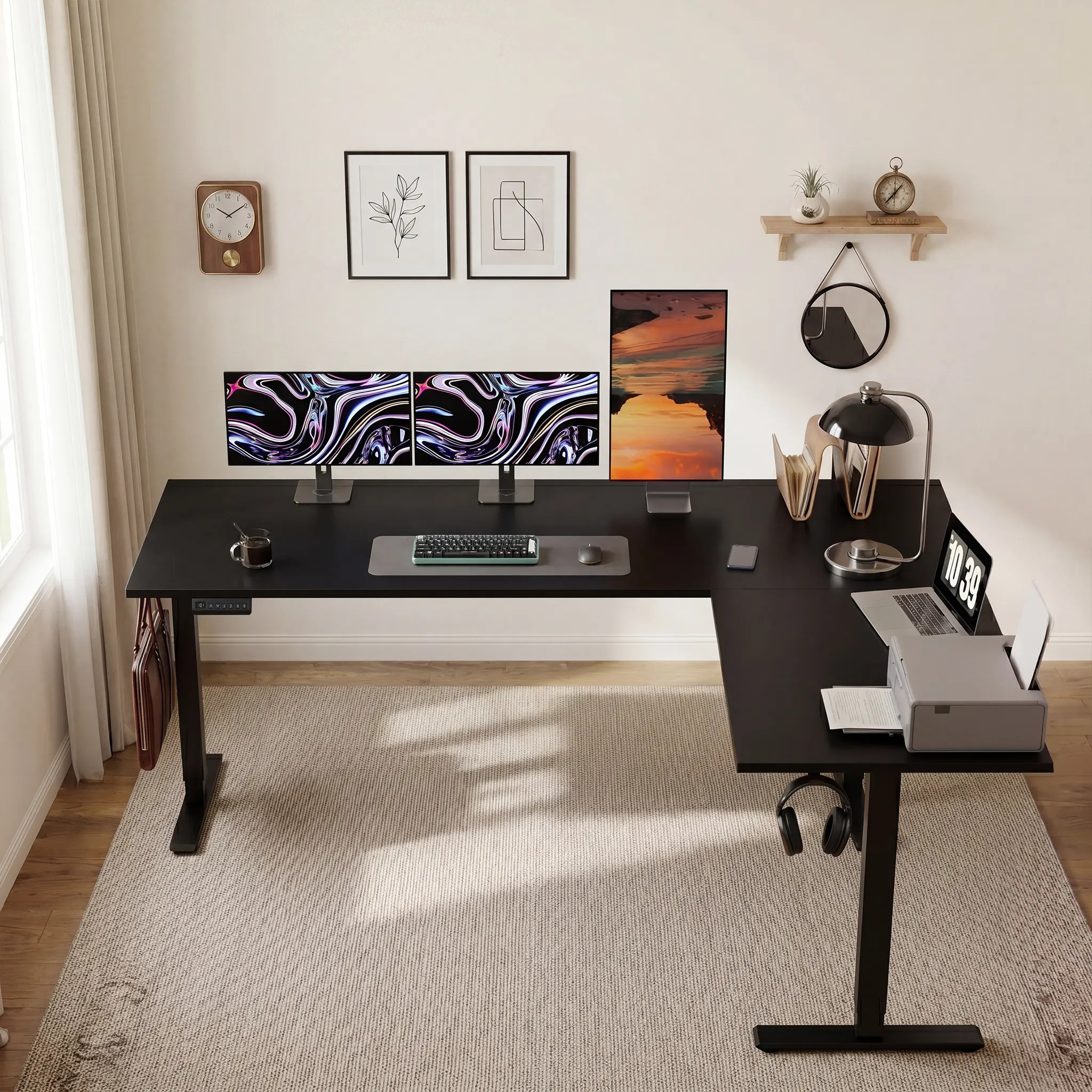
The OffiGo 63-inch L-shaped electric standing desk gives remote professionals separate zones for screens, laptop work, documents, and peripheral devices.
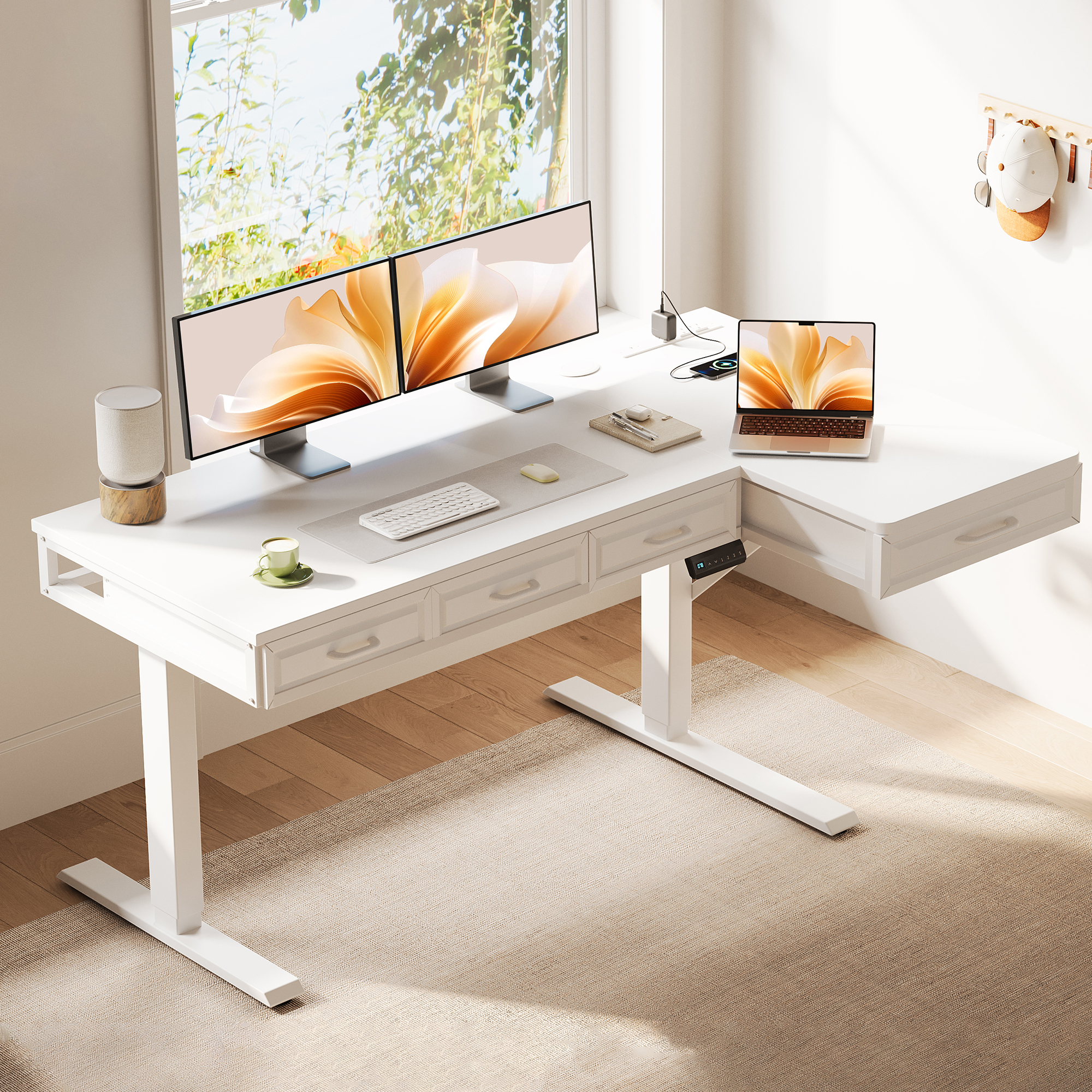
OffiGo 55 inch L-Shaped Electric Standing Desk with Wooden Drawers and Power Outlets
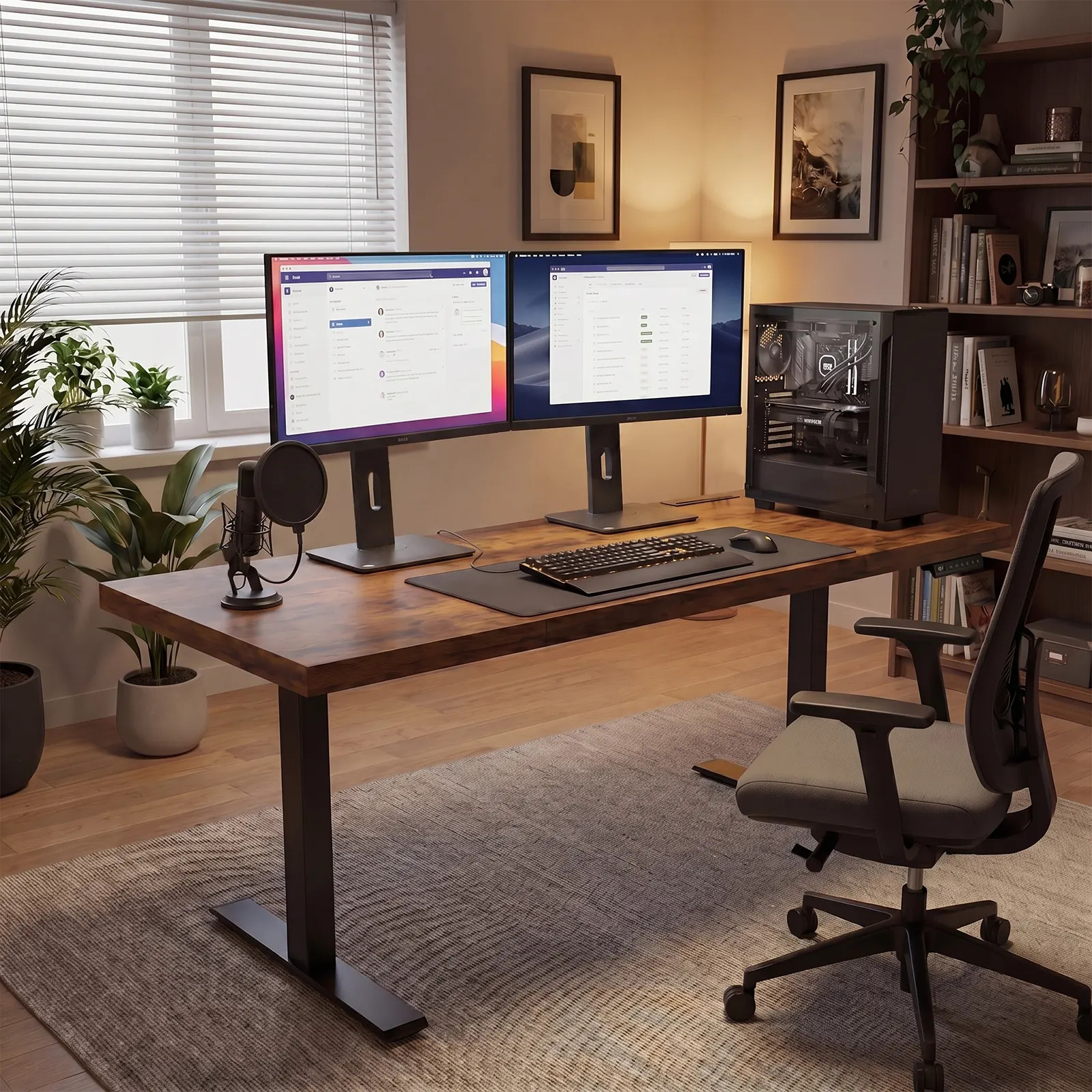
Modern home office setup featuring a 71-inch electric standing desk with dual monitors, a desktop computer, and an ergonomic workspace designed for productive remote work.
A buyer guide compares five OffiGo adjustable desk configurations for remote workers, focusing on storage, layout, cable planning and sit-stand use.
AZUSA, CA, UNITED STATES, August 17, 2026 /EINPresswire.com/ -- Remote work exposes a desk's weak points faster than an occasional evening of email. A surface that seems adequate on the first day can become crowded after a week of video meetings, documents, charging cables, a laptop dock, and one or two monitors. The problem is not that every home office needs the largest possible desk. It is that a desk chosen only for its lifting function can leave its owner to solve storage, cable routing, work zones and room reset with separate purchases later.
OffiGo has published a new guide to adjustable desks for remote workers that examines five workstation directions through that practical lens. Its central finding is simple: remote workers should select a sit-stand desk by the work it must hold and the way the room must function after work, rather than by a single specification or a generic “standing desk” label. For people who routinely handle paper files, printers and office supplies, the strongest starting point is often a standing desk with cabinet storage, because it separates bulk storage from the primary typing position.
The guide, adjustable desks for remote workers, looks at an integrated 55-inch L-shaped desk with a movable cabinet; two large-format L-shaped options; a storage-and-power model for shared rooms; and a wide executive desk for monitor-heavy setups. Together, the five configurations give buyers a way to distinguish a compact surface from a complete home-office workstation.
Guide Findings: Five Questions Before Choosing a Desk
The first question is usable work surface, not nominal width alone. A remote employee working with one laptop may need little more than a centered screen, keyboard, lamp and notebook. A person who works across spreadsheets, dashboards, calls and a second monitor needs enough depth to keep screens at a comfortable viewing distance and enough width to avoid parking a keyboard against the screen. OSHA's computer-workstation guidance notes that desk layout should support appropriate placement of components; that makes surface depth and screen position practical buying checks rather than cosmetic details.
Second, buyers should distinguish storage for small daily items from storage for a real paper workflow. Drawers are useful for cables, notebooks, chargers and accessories. A cabinet is more useful when files, printer paper, books, a printer or larger office supplies need a permanent home. Treating both as the same feature can cause a mismatch: shallow drawers may keep a desktop visually tidy, but they do not replace the storage capacity required by administrative, consulting, education or document-heavy work.
Third, seated legroom must stay protected. Storage that occupies the center beneath the desktop can make a user sit farther from the keyboard or restrict chair movement. A side-mounted cabinet offers a different trade-off: it consumes floor area but preserves the central sitting zone. Buyers should picture the chair pulled fully in, not only the desk photographed from the front.
Fourth, cable planning belongs in the desk decision. Height adjustment changes the distance between devices and wall power. A desk with outlets can simplify charging, but it does not remove the need to route slack safely and keep permanent cables separate from temporary ones. Models without integrated outlets can still work well when the buyer intentionally locates a power strip and cable path before adding monitors and chargers.
Finally, standing performance matters more than a desk's seated first impression. The relevant test is whether the workstation feels composed when raised for typing, a meeting or a presentation. Users with several screens, a laptop and peripherals should center major weight, avoid loading one edge heavily, and choose a size that does not force equipment into an unstable or awkward arrangement. Ergonomics is a fit question: the workstation should support changes in posture without asking the user to reach, crowd the screen or reorganize the desk every time it moves.
Why Cabinet Storage Takes the Lead for File-Heavy Remote Work
The guide places the OffiGo 55-inch L-shaped electric standing desk with a movable file cabinet at the center of the cabinet-storage recommendation. It pairs a 55.1-by-23.6-inch main surface with an independent 39.4-by-15.8-by-18.7-inch cabinet. The desk adjusts from 28.4 to 47.2 inches and provides three stored height positions. The cabinet can be placed on the left, right or inline, so the workstation can adapt to a corner or a straighter layout rather than forcing the room around a fixed pedestal.
The important distinction is its storage layout. The lockable cabinet includes drawers and open storage, giving folders, paper, books, printers and office supplies a destination away from the main desktop. Because the cabinet sits to the side instead of at the center under the keyboard zone, the user can keep an open path for the chair and legs. For an accountant moving between a monitor and records, a recruiter managing printed packets, or a household using one office corner for work and administration, this is more consequential than adding one more shallow drawer.
That does not make a cabinet configuration universal. It needs genuine floor clearance and the listed model does not include integrated power outlets. A buyer who wants charging on the desktop should assess whether a drawer-and-power design better fits the workflow. But among standing desks with cabinet storage, the movable-cabinet design is the more complete choice when the desk is expected to replace a separate filing unit rather than merely reduce visible clutter.
The Five OffiGo Configurations in the Guide
1. The 55-inch L-shaped desk with movable file cabinet is the primary recommendation for remote professionals whose work includes documents, a printer or larger supplies. Its movable cabinet and open central legroom make it a workstation system rather than a bare lifting table.
2. The 63-inch L-shaped electric desk with fabric drawers and built-in power outlets is for a large, device-heavy corner setup where frequent access to small items and charging matters. It uses four fabric drawers, a rear cable tray, power outlets and USB/Type-C access. Buyers considering a 63-inch L-shaped desk with fabric drawers should confirm that the room has enough corner width and that fabric-drawer storage matches their needs better than a file cabinet.
3. The 63-inch reversible L-shaped height-adjustable desk is the simpler large-format option. It gives dual-monitor users extra zoning room and can be installed for different room orientations, while leaving storage and power choices more open. This is a sound fit for mostly digital work where desk surface is the priority and a separate cabinet is already available.
4. The 55-inch L-shaped desk with wooden drawers and power outlets suits a shared office, study corner or guest room that needs to reset visually after the workday. Its four built-in wooden drawers and integrated AC, USB and Type-C charging combine everyday storage with device access. The trade-off is that built-in storage is not the same as a separate file cabinet, so buyers should decide whether their stored items are mainly accessories or paper volume.
5. The 71-inch executive electric standing desk with power outlets is the wide-surface option for users who place multiple monitors, a laptop and creative or analytical tools on one main plane. Its 71-by-27.6-inch top, three memory presets, built-in power and cable-management features suit a larger dedicated room. It is not the compact answer, but it can reduce crowding where desk width and depth are the actual constraints.
Practical Setup Rules That Prevent Regret
Before ordering, buyers can make the decision more concrete with a short room-and-workflow audit. Measure the wall and corner clearance, then place the chair footprint in the plan. List the equipment that remains on the desktop every day, separately from items that only need nearby storage. If files and a printer appear on the second list, a cabinet deserves priority. If chargers, a headset and notebooks dominate, drawers and integrated power may be enough. If monitors and input devices dominate, surface depth and width should be settled before storage details.
The guide also recommends setting a cable plan before the desk arrives. Identify which cables must move with the desktop, which can stay near the wall, and where a power strip or integrated outlet will sit. Keep enough slack for full-height movement, but do not leave loose loops where a chair or foot can catch them. Once assembled, raise the desk to the standing position with the full everyday load in place, center the monitors, and make small adjustments before assuming that a frame problem exists.
For shared rooms, the reset test is equally useful: at the end of a workday, can papers, chargers and accessories be put away in their assigned place without moving the desk or adding a second organizer? If the answer is no, the buyer probably needs cabinet or drawer storage, not another tabletop accessory.
Avoiding Common Configuration Mismatches
The most common mismatch is buying for the visible desktop and not for the volume of work behind it. A buyer may choose a compact desk because only a laptop and monitor are visible during a product search, then discover that folders, adapters, notebooks and a printer still need somewhere to go. That is the point at which a standing desk becomes surrounded by small carts, floor boxes and add-on trays. The initial desk may still lift correctly, but the workstation no longer supports an orderly daily routine.
Another mismatch is treating the room's smallest footprint as the only requirement. A larger L-shaped desk or cabinet system should not be forced into a tight room, but a too-small desk also carries a cost when it makes a user keep a monitor too close, stack work materials or push the chair away from the keyboard. The better approach is to compare the measured room with the full equipment list, then select the smallest configuration that still gives every recurring item a defined zone.
Buyers should also be wary of assuming that a storage feature automatically manages cables. Drawers keep objects out of sight; outlets reduce the distance to charging; cable trays collect and guide cords. They serve related but separate functions. Identifying each function before checkout makes it easier to choose a model that solves the actual friction instead of adding features that do not match the workflow.
A Buyer-First Conclusion
There is no single desk configuration for every remote worker. A lean rectangular desk can serve a minimal laptop setup, while a wide L-shaped surface can serve a multi-monitor workflow. The recurring lesson from the guide is to buy the workstation that fits the whole work pattern. For paper-heavy or equipment-mixed home offices, cabinet storage offers a clear advantage because it makes room for the work that should not live on the desktop or under the user's knees.
OffiGo's five configurations show how the decision changes with room shape, monitor count, storage volume and charging needs. The practical priority is not to collect features. It is to choose a desk layout that keeps the screen area usable, preserves a comfortable seated position, supports deliberate sit-stand changes and gives every recurring work item a place. For buyers who need one purchase to combine a standing desk and meaningful filing capacity, the movable-cabinet L-shaped configuration is the guide's clearest recommendation.
OffiGo Workspace Team
OffiGo – Professional Workspace Solutions
Creator@offigo.com
Visit us on social media:
Instagram
YouTube
X
Legal Disclaimer:
EIN Presswire provides this news content "as is" without warranty of any kind. We do not accept any responsibility or liability for the accuracy, content, images, videos, licenses, completeness, legality, or reliability of the information contained in this article. If you have any complaints or copyright issues related to this article, kindly contact the author above.
